Appearance
Chart Area
Configures the chart area.
Setting a value to auto enforces the default behavior for that option.
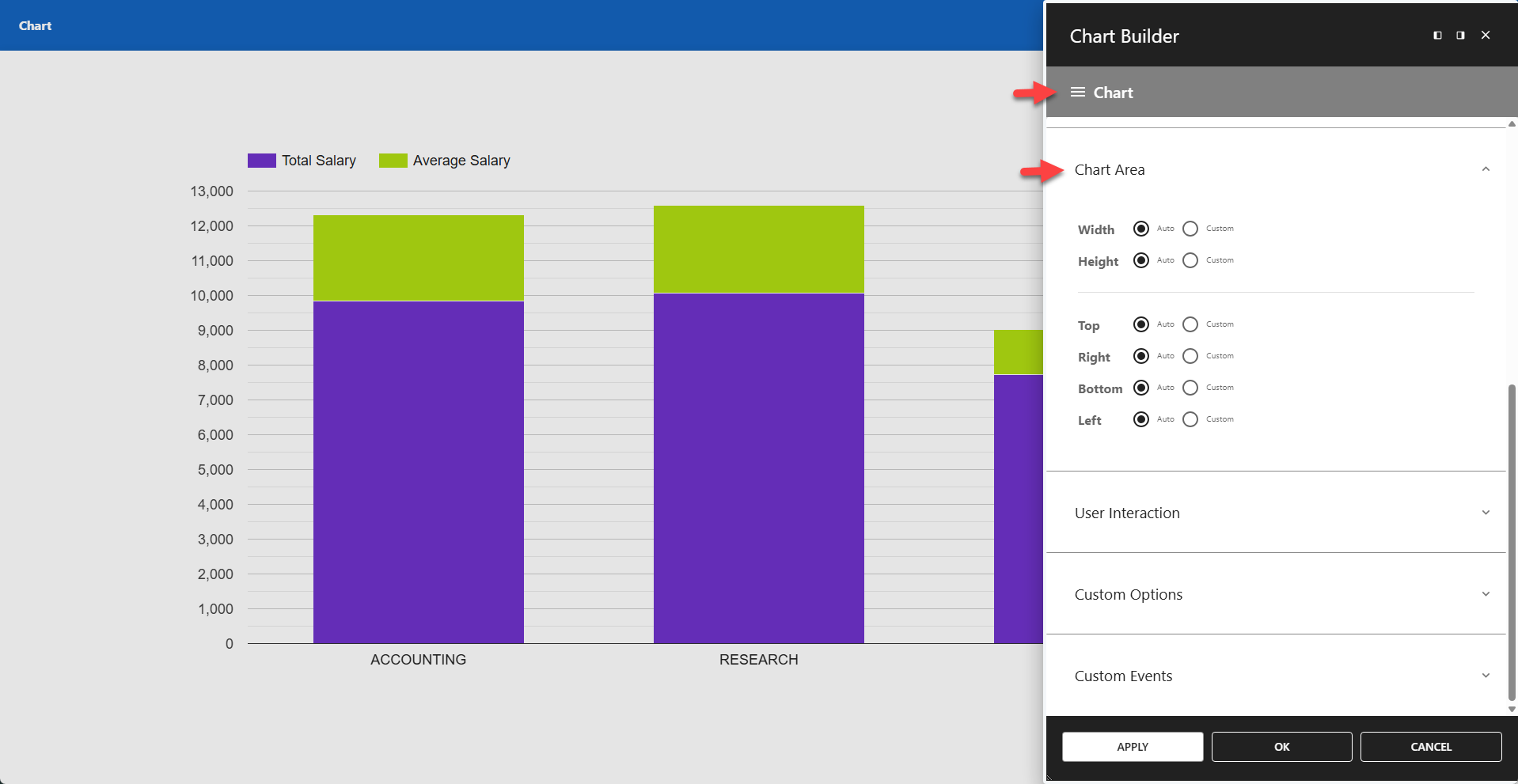
⚙️ Width
- Auto - Default behavior.
- Custom - Defines the chart area width, relative to the chart container.
⚙️ Height
- Auto - Default behavior.
- Custom - Defines the chart area height, relative to the chart container.
⚙️ Top
- Auto - Default behavior.
- Custom - Defines the space above the chart area.
⚙️ Right
- Auto - Default behavior.
- Custom - Defines the space to the right of the chart area.
⚙️ Bottom
- Auto - Default behavior.
- Custom - Defines the space below the chart area.
⚙️ Left
- Auto - Default behavior.
- Custom - Defines the space to the left of the chart area.