
Appearance
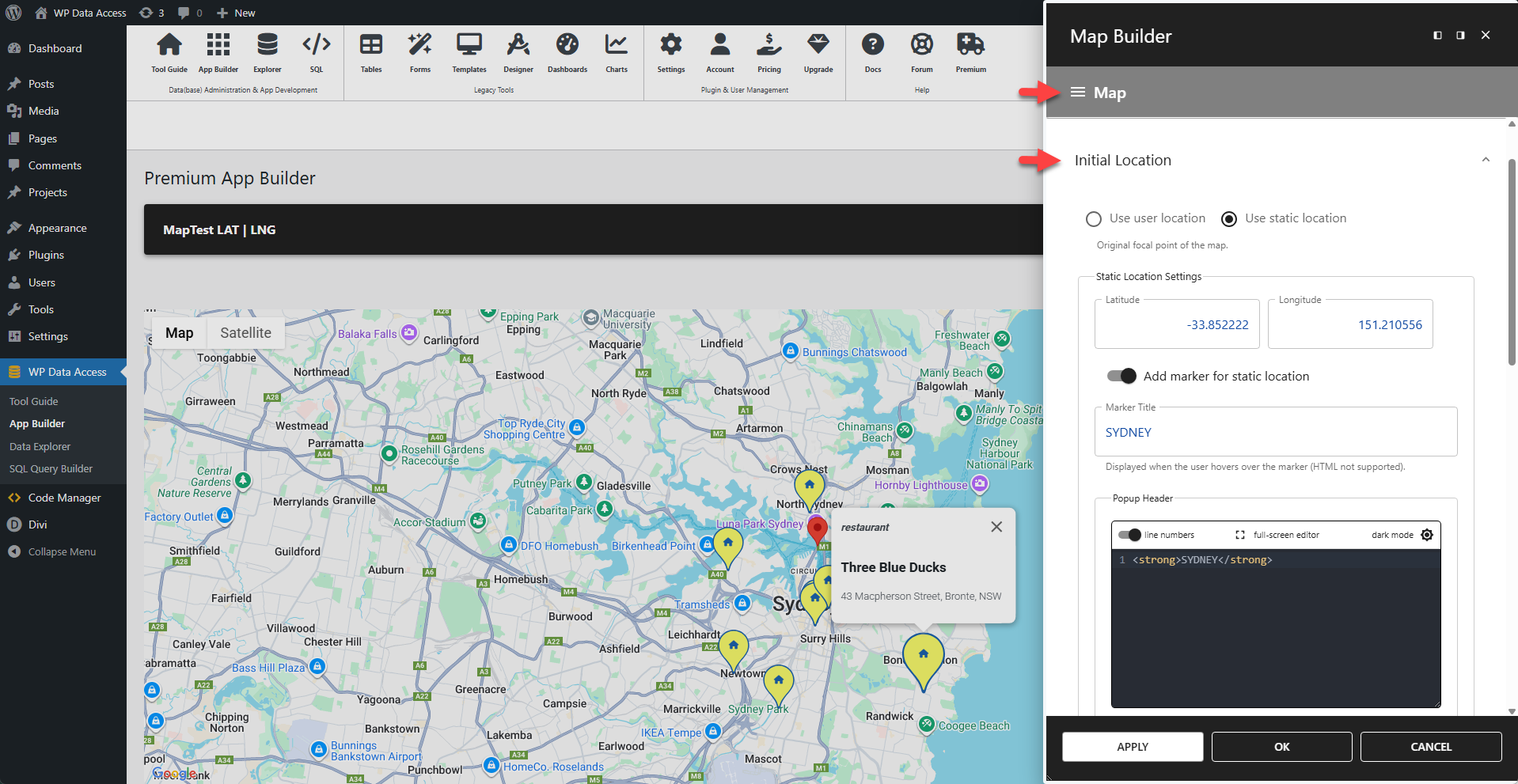
Initial Location
The initial location is the focal point of the map when it first loads. It can be set to either a static location or the user's current location. Using the user's location requires their permission.
◉ Use User Location
User Location Settings
This settings panel appears when Use User Location is selected.
⚙️ Add Marker for User Location
Shows a marker on the map for the current user location when enabled.
⚙️ Marker Title
Displayed when the user hovers over the marker. HTML is not supported.
⚙️ Marker Header
The text for the marker's header. HTML is supported.
✨ Example
html
<strong>MY LOCATION</strong>⚙️ Marker Content
The text for the marker's body content. HTML is supported.
✨ Example
html
<h2>AM I HERE</h2>⚙️ Marker Size
Sets the size of the marker. Accepts any value from 0 to 8.
⚙️ Marker Colors
Offers color pickers for the marker's background color, border color, and glyph color.
⚙️ Custom Glyph
Replaces the default glyph with a custom icon.
✨ Example
To display a house icon instead of the default glyph:
html
<i class="fa-solid fa-house"></i>📌 This example requires Font Awesome to be loaded on the page.
◉ Use Static Location
Static Location Settings
This settings panel appears when Use Static Location is selected.
⚙️ Latitude
Defines the latitude of the static location.
⚙️ Longitude
Defines the longitude of the static location.
⚙️ Add Marker for Static Location
When enabled, this option displays a marker on the map at the defined static location.
⚙️ Marker Title
Displayed when the user hovers over the marker. HTML is not supported.
⚙️ Marker Header
The text for the marker's header. HTML is supported.
✨ Example
html
<strong>MY LOCATION</strong>⚙️ Marker Content
The text for the marker's body content. HTML is supported.
✨ Example
html
<h2>AM I HERE</h2>⚙️ Marker Size
Sets the size of the marker. Accepts any value from 0 to 8.
⚙️ Marker Colors
Offers color pickers for the marker's background color, border color, and glyph color.
⚙️ Custom Glyph
Replaces the default glyph with a custom icon.
✨ Example
To display a house icon instead of the default glyph:
html
<i class="fa-solid fa-house"></i>📌 This example requires Font Awesome to be loaded on the page.