
Appearance
Custom Options
Note: Must be in valid JSON format.
This is a powerful feature that allows for fine-tuning your charts. Custom options are injected into the Chart Builder settings at runtime. These options take precedence and will overwrite any conflicting Chart Builder settings.
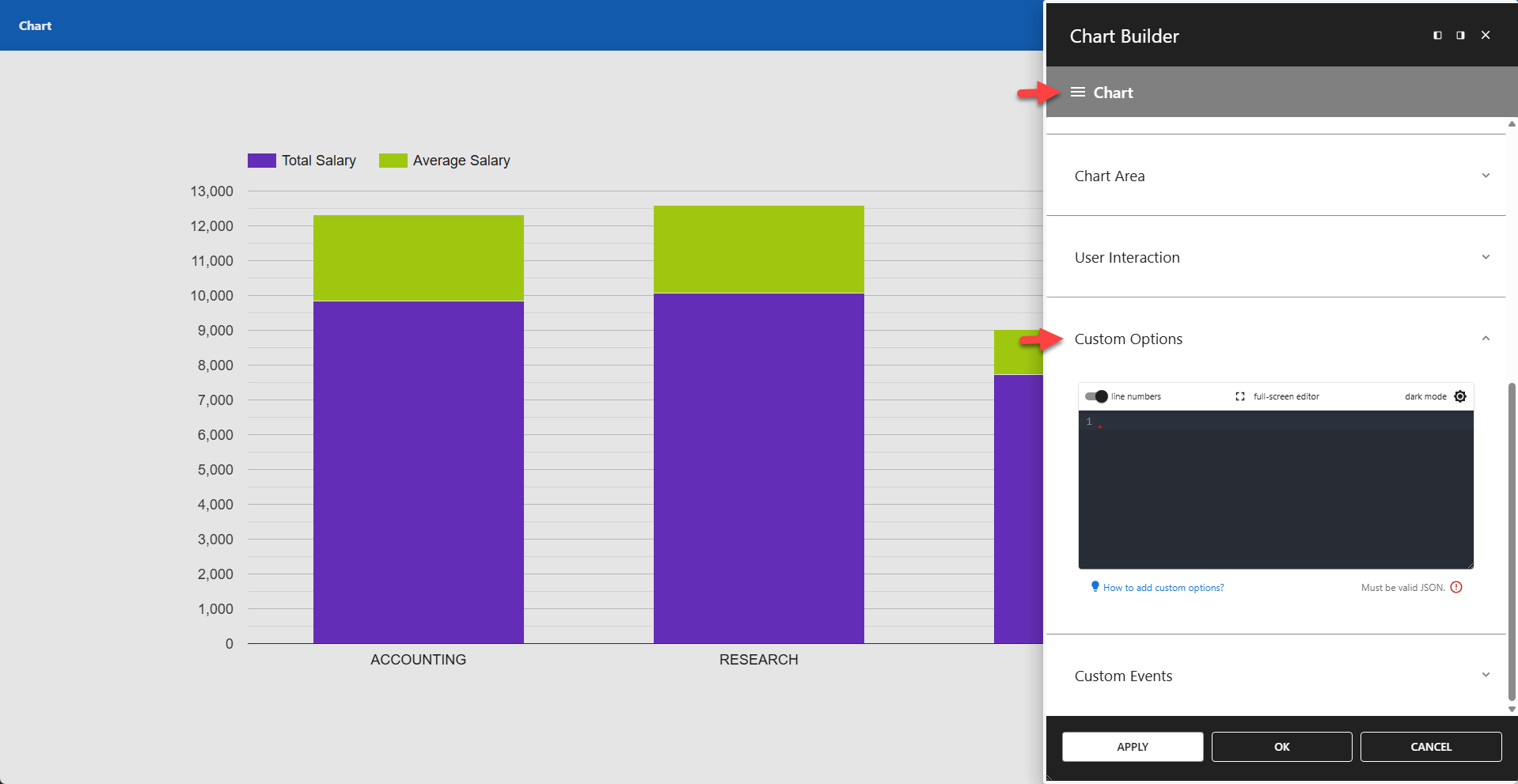
The validation icon indicates whether the custom options are formatted as valid JSON. Note that this only checks the JSON syntax — it does not verify whether the attributes are supported by Google Charts. The validity of the attributes is your responsibility. Any unknown or invalid attributes will be ignored.
Option Properties Format
Option properties must be written in camelCase. For example, background-color is not a valid property name — it must be written as backgroundColor. Make sure to follow this format when applying options.
✨ Example: Change Background Color
json
{
	"backgroundColor": "#ffff00"
}
✨ Example: Reduce Space Around Chart
json
{
	"chartArea": {
		"top": 110,
		"left": 80,
		"right": 80,
		"bottom": 80
	}
}
Available Options
The link below refers to the Google Apps Script documentation. While this does not cover all chart options, most of these options are also available for charts.