
Appearance
Field Layout
These settings control the visual style of the data entry fields.
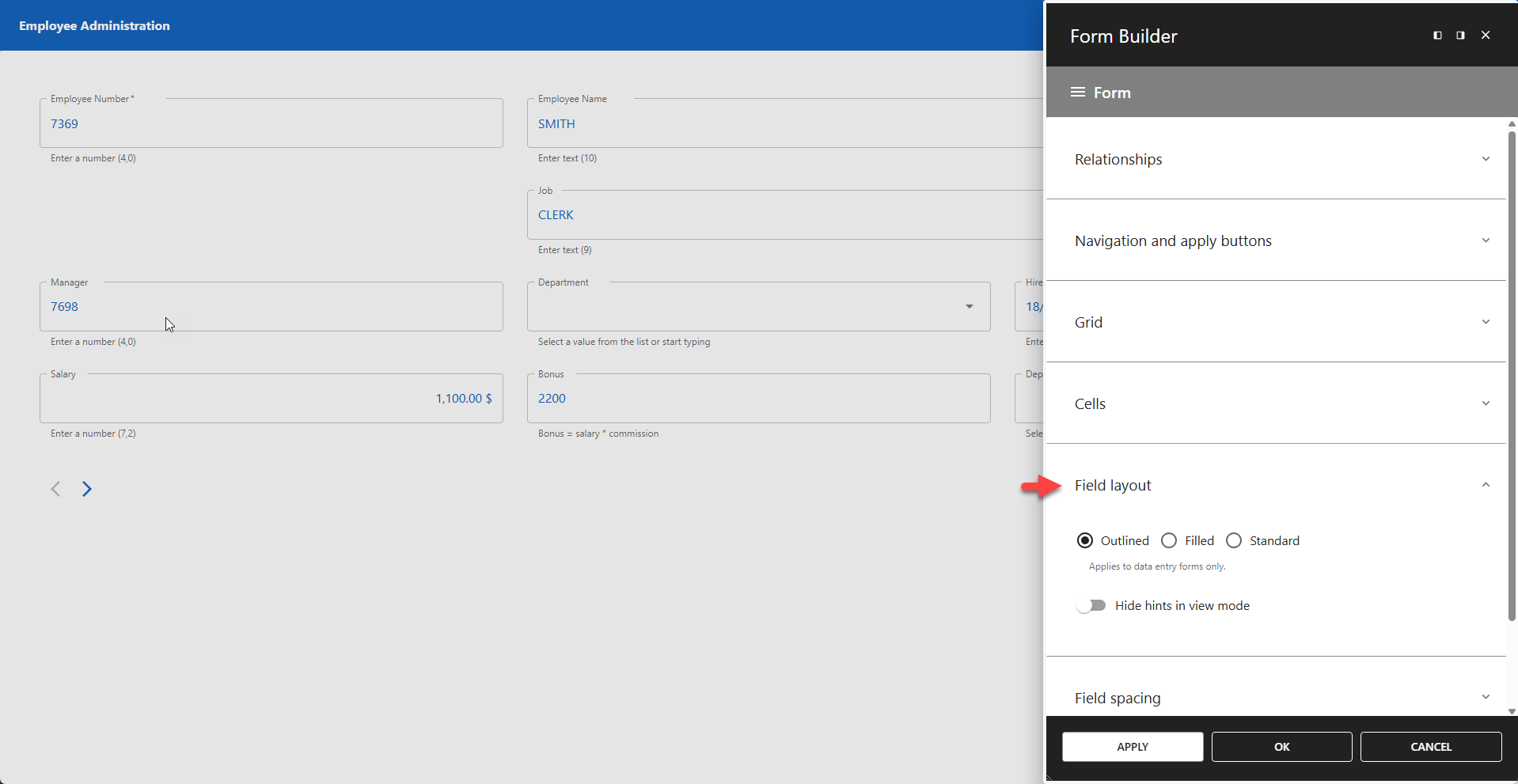
📌 These settings only apply to data entry forms and do not affect other form types.
⚙️ Outlined | Filled | Standard
Defines the overall visual style for the form fields.
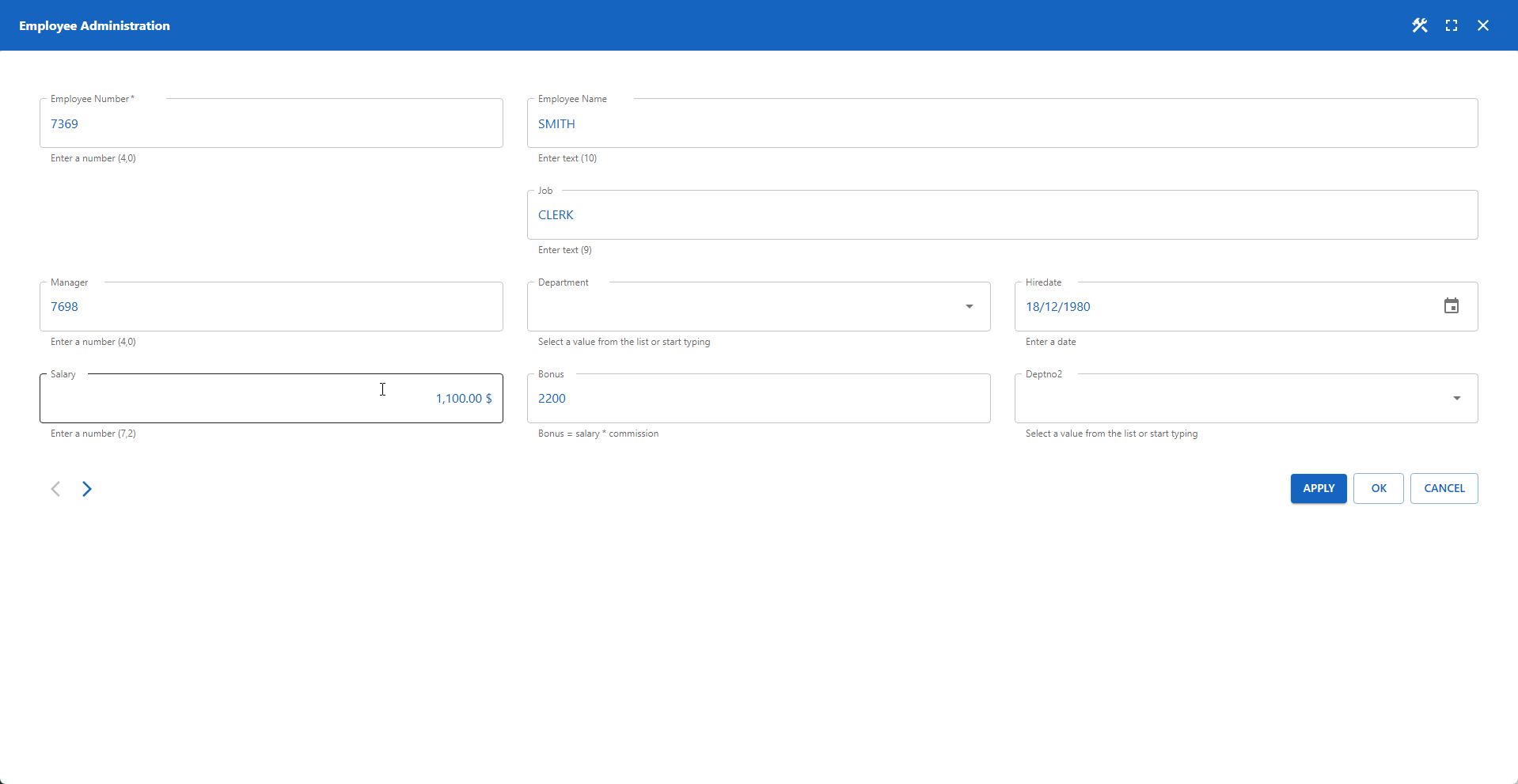
- Outlined: Fields are contained within a distinct border. (default)
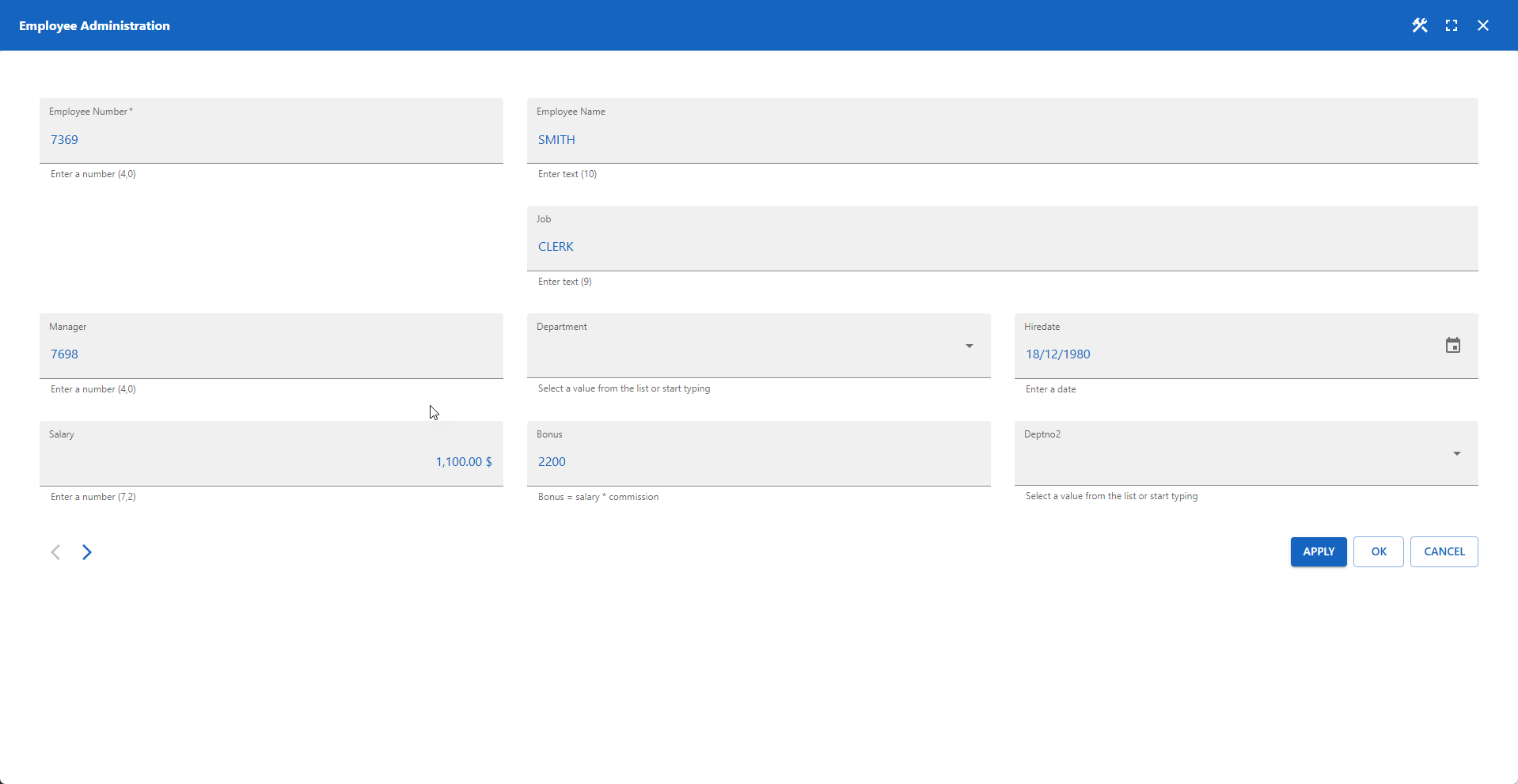
- Filled: Fields have a solid background fill.
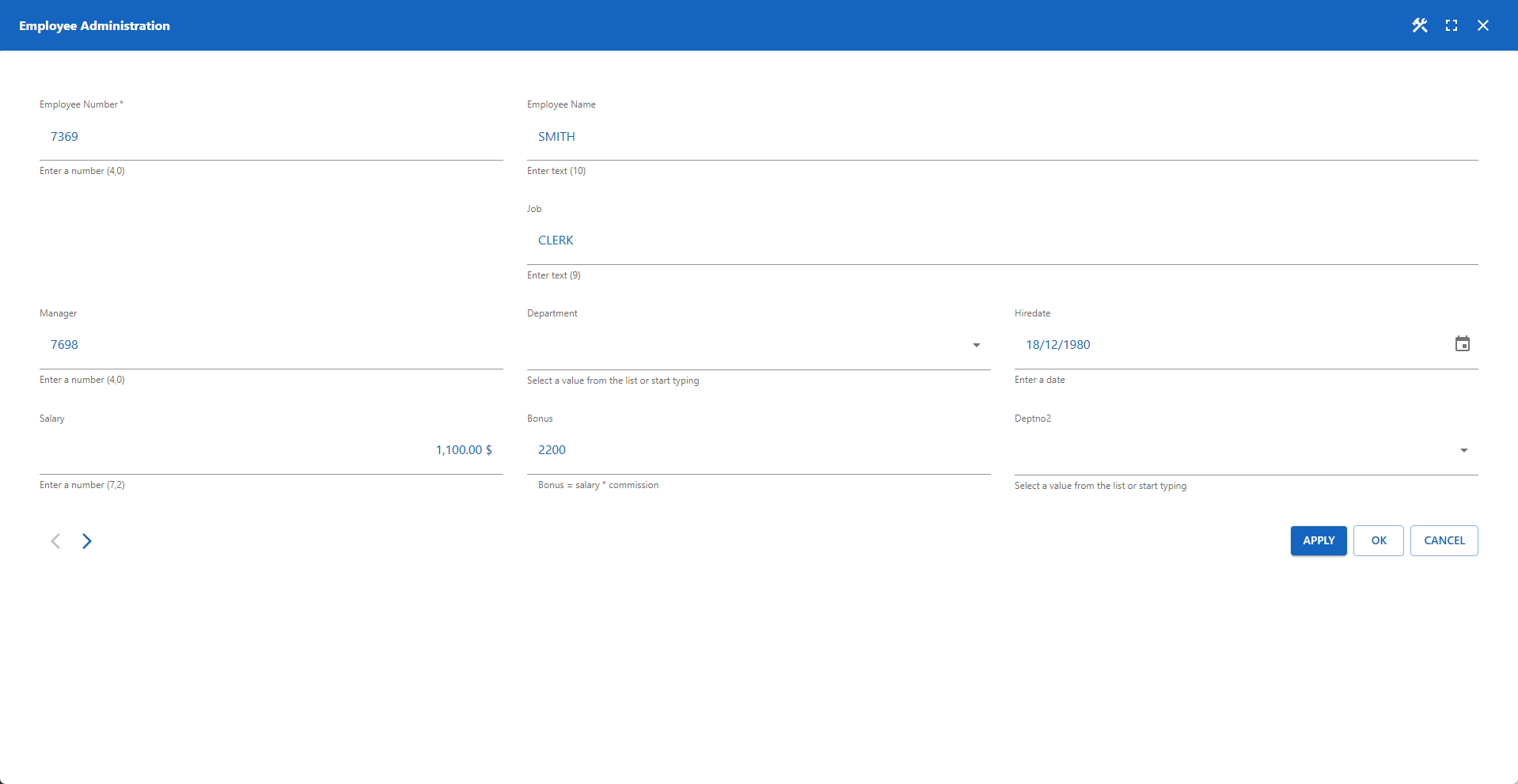
- Standard: Fields are indicated by a bottom border only.
The images below show the visual difference between the three available styles.
⚙️ Hide Hints in View Mode
By default, field hints (helper text) are displayed in all modes (edit and view). Enable this setting to hide hints when the form is in read-only view mode.
📌 For more granular control over hint layout and visibility, you can use the built-in function setColumnStyle. This function allows you to programmatically fine-tune or hide hints for specific columns.