Appearance
Adding a Lightbox
There are two ways to show an image in a table:
- Use a public image URL
- Use the WordPress media library
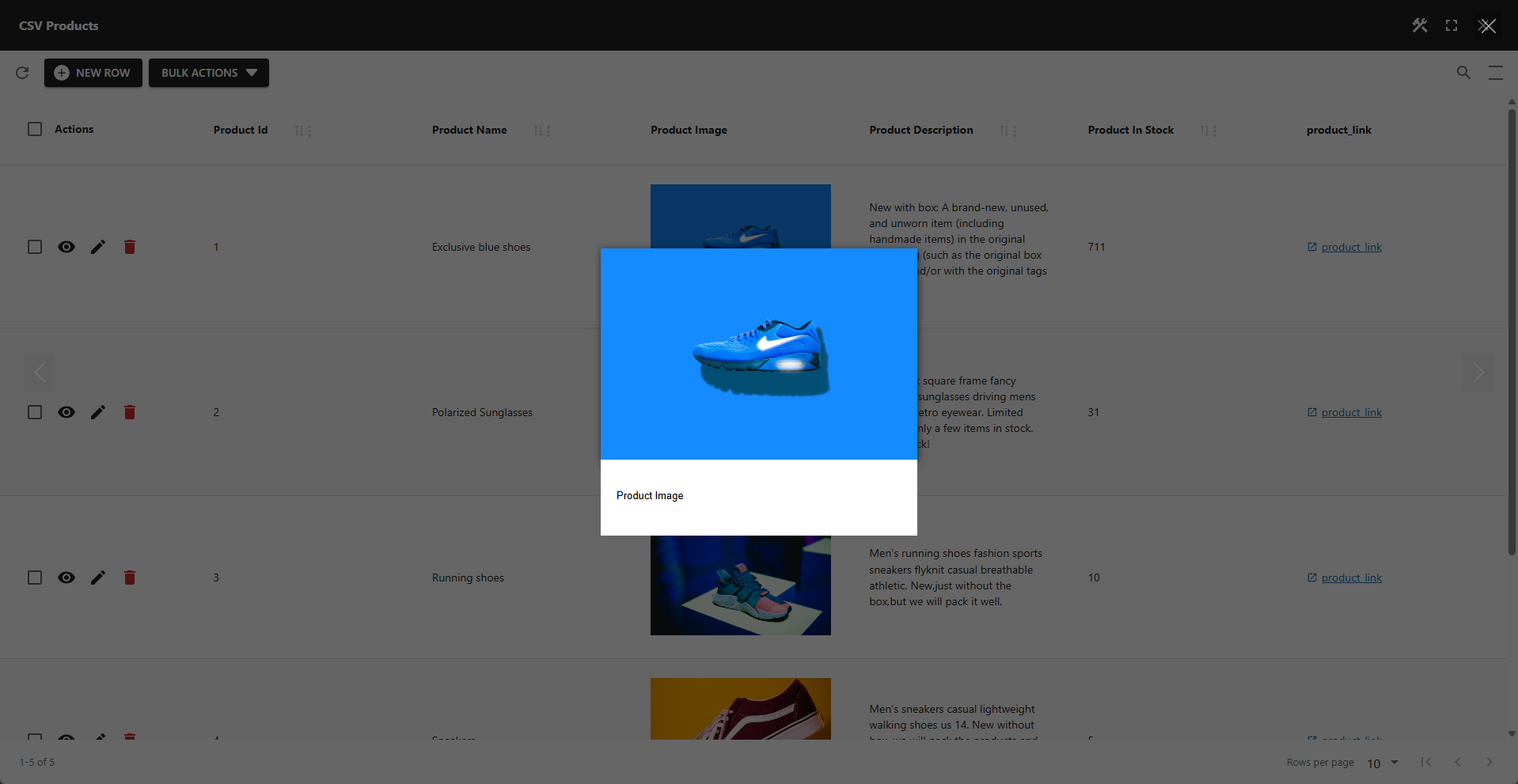
You can add a lightbox to images in a table using an external library. This requires just two small pieces of code in the onAppOpen and postQuery hooks. The library is loaded in the onAppOpen hook, and the lightbox is initialized in the postQuery hook. The onAppOpen hook is the same whether images are loaded from a public URL or from the WordPress media library. The postQuery hook only needs a different selector depending on the image source.
Loading an External Library from the onAppOpen Hook
This example loads the glightbox library from a CDN, which eliminates the need for lightbox configuration. Other libraries should work similarly.
js
((loadScript, loadStyle) => {

    loadScript("https://cdn.jsdelivr.net/npm/glightbox/dist/js/glightbox.min.js", "glightboxJS")
    loadStyle("https://cdn.jsdelivr.net/npm/glightbox/dist/css/glightbox.min.css", "glightboxCSS")

})
Added the Lightbox in the postQuery Hook
Images using a public URL can be identified by the class name pp-image, which is added to the td element containing the image. For images loaded from the WordPress media library, the class name wp-image is used instead. The examples below are based on public URLs. For WordPress media library images, simply change pp-image to wp-image in the selectors.
✨ Example: Each Image in a Separate Gallery
js
((table) => {

	let timoutId = setTimeout(function lightbox() {
        const images = window.document.querySelectorAll("td.pp-image img")
        if (images.length) {
            images.forEach((img, index) => {
                img.setAttribute("data-gallery", "pp-single-" + index)
            })
            GLightbox({
                selector: "td.pp-image img",
                slideEffect: "fade",
                loop: false,
                autoplayVideos: false,
            })
        } else {
            timoutId = setTimeout(lightbox, 100)
        }
    }, 100)

})
✨ Example: All Images in a Single Gallery
This allows the user to navigate between images using navigation buttons.
js
((table) => {

	let timoutId = setTimeout(function lightbox() {
        const images = window.document.querySelectorAll("td.pp-image img")
        if (images.length) {
            GLightbox({
                selector: "td.pp-image img",
                slideEffect: "fade",
                loop: false,
                autoplayVideos: false,
            })
        } else {
            timoutId = setTimeout(lightbox, 100)
        }
    }, 100)

})
✨ Example: Each Image in a Separate Gallery